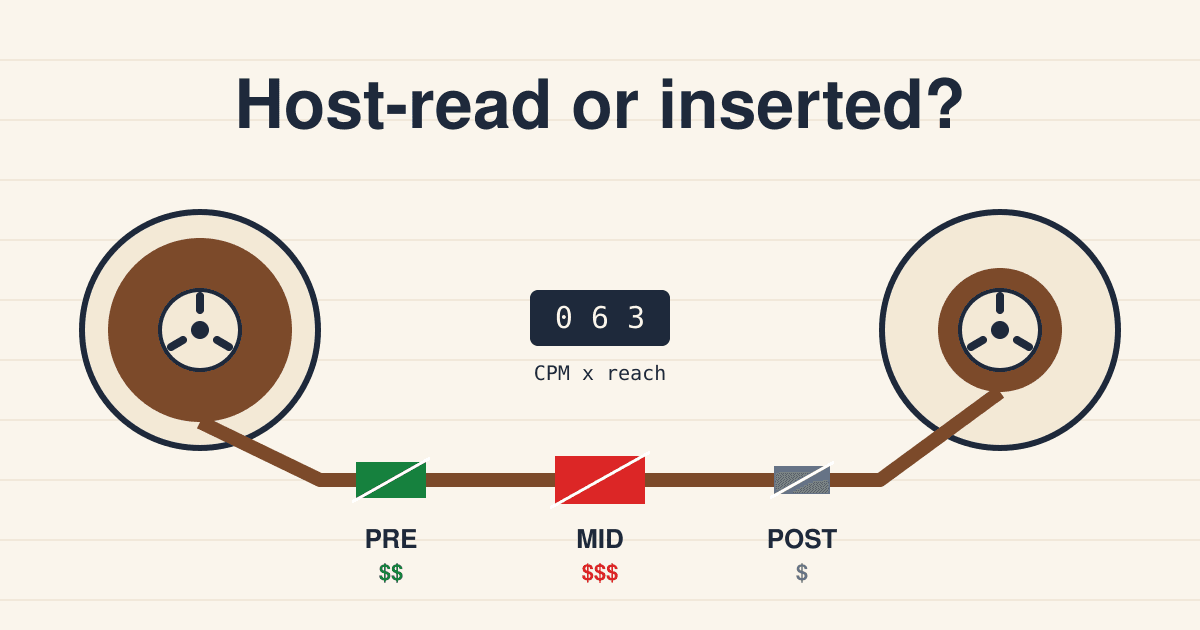
Two video ads can both run on the same YouTube page and be billed at completely different moments, because the format you book decides whether the meter starts when the ad appears, at the sixth second, after ten seconds of autoplay or only once the viewer reaches thirty seconds.
Four timers, set differently
Google's help page for YouTube video ad formats lists six formats. Four of them run as ordinary video ads in a campaign: bumper, skippable in-stream, non-skippable in-stream and in-feed. (Shorts ads and the Masthead are covered in a line at the end.) Each is a timer with its own length, its own bill trigger and its own list of things it allows afterwards. The table on that page is the source for every setting below.
Bumper
- Skip button
- None, plays through
- Bill trigger
- Impression (Target CPM)
- Remarket to viewers
- No
- Counts as a TrueView view
- No
Skippable in-stream
- Skip button
- After 5 seconds
- Bill trigger
- Thirty seconds watched or a click with CPV; impression with target CPM, target CPA or maximize conversions
- Remarket to viewers
- Yes
- Length
- No maximum; Google recommends under 3 minutes
Non-skippable in-stream
- Skip button
- None
- Bill trigger
- Impression (Target CPM)
- Remarket to viewers
- No
- Length
- 15 to 60 seconds, set by the campaign subtype
In-feed video
- Skip button
- Not a pre-roll: viewer clicks a thumbnail
- Bill trigger
- A click to watch, or 10 seconds of autoplay in a Video View campaign
- Remarket to viewers
- Yes
- Where
- Search results, Watch Next, Home and Subscriptions feeds
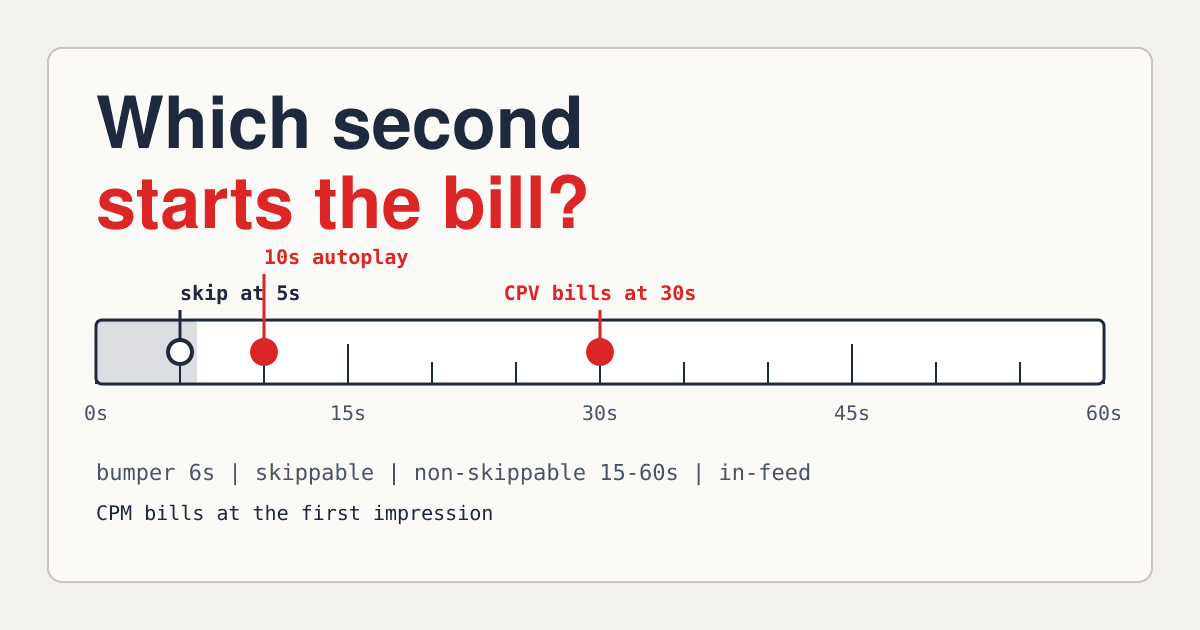
Where the meter starts on a 60-second ruler
The same facts on one scale. A red pin is the moment a charge can happen, a hollow pin is the skip button or the end of the ad. Notice how far apart the first red pin sits from the last.
Bumper, target CPM
Charged at the impression. Over after 6 seconds at most.
Non-skippable, target CPM
Charged at the impression. Runs 15 seconds or up to 60, depending on the campaign subtype.
Skippable, target CPM or CPA
Charged at the impression. The viewer can leave at second 5 and you have still paid.
Skippable, CPV
Charged at 30 seconds watched, or the whole video if it is shorter, or a click on the video, whichever comes first.
In-feed, Video View campaign
Charged on a click to watch, or after 10 seconds of autoplay.
One ad, three viewers, two ways to pay
The next numbers are invented to show the arithmetic, they are not a benchmark. Take a 30-second skippable ad shown to 1,000 viewers. Say 120 of them stay to the thirty-second mark and the other 880 leave somewhere before it.
Viewer A leaves at second 5
5 s watched
Pay per viewFree: no charge point reached
Pay per thousandCharged: the ad was shown
Viewer B leaves at second 12
12 s watched
Pay per viewFree: still short of 30 s
Pay per thousandCharged: the ad was shown
Viewer C watches to the end
30 s watched
Pay per viewCharged: 30 seconds reached
Pay per thousandCharged: the ad was shown
At a CPM of $6.00, those 1,000 viewers cost $6.00 and 120 of them completed the ad, so each completed view cost $0.05. Under CPV a bid of $0.05 would charge the same $6.00 for the same 120 completed views, and nothing for the 880 who left earlier; those 880 still saw part of your ad, which is the part of the delivery CPV gives away. Neither is cheaper by default. Turn the price into one common unit before you compare, the way converting CPM, CPC and CPA into each other does.
Pick the format by the job
You want many people to see the brand once
Bumper
Six seconds that cannot be skipped, bought on impressions. Plan one idea and one product name. Pair it with a longer format for the rest of the story.
You want a signal about attention
Skippable in-stream
The skip button tells you who stayed. Viewers can be remarketed to, which the two non-skippable formats cannot offer.
The whole message has to be heard
Non-skippable in-stream
A price, a legal line or a sequence that makes no sense in pieces. Impression billing at a fixed 15 to 60 seconds, and no remarketing list from it.
Someone is already looking
In-feed video
Shows next to searches and related videos. The viewer chose to click, so the bill follows the choice. Remarketing works.
The first five seconds of a skippable ad
- Show the brand or product in the first frame, not the intro animation, because anyone can leave at second 5.
- Say the one thing a viewer who leaves at second 5 should still know.
- Put the reason to stay on screen just before the skip button appears.
- Everything after that is for the viewers who chose to stay, so it can be slower and more specific.
Frequency matters too: a bumper that plays six times to the same person in a week is a different purchase from one that plays twice. The reasoning in how many times a person should see an ad applies to every format on this page.
Three billing traps
Trap 1
Expecting view counts from a bumper or a non-skippable ad. Neither raises the TrueView views column in Google Ads; both still add to the public view count on YouTube.
Trap 2
Counting an impression as a watched ad. An impression bought on CPM includes the viewers who left at second 5. For what counts as seen, see what a viewable impression is.
Trap 3
Ignoring where the ad runs. With Google video partners switched on, Google notes that skippable in-stream ads may serve as interstitials or rewarded ads, which look like out-stream ads.
Two formats not covered above: YouTube Shorts ads (recommended under 60 seconds, remarketing allowed) and the Masthead (reservation only, through a Google sales representative).
Questions buyers ask
Does a bumper count as a view in Google Ads?
No. Google's table marks bumper and non-skippable in-stream as unable to increment TrueView views in Google Ads. They do add to the public YouTube view count.
Can I remarket to people who saw a bumper?
Not from the bumper view alone. Google's format table says no for bumper and non-skippable in-stream, and yes for skippable in-stream, in-feed, Shorts and the Masthead.
How long can a skippable video ad be?
There is no maximum length. Google recommends staying under three minutes. The viewer can skip after 5 seconds.
Is the 30-second CPV charge fixed?
It is the rule for CPV bidding on skippable in-stream ads: 30 seconds watched, or the full video if shorter, or an interaction. Under target CPM, target CPA and maximize conversions you pay on impressions instead.