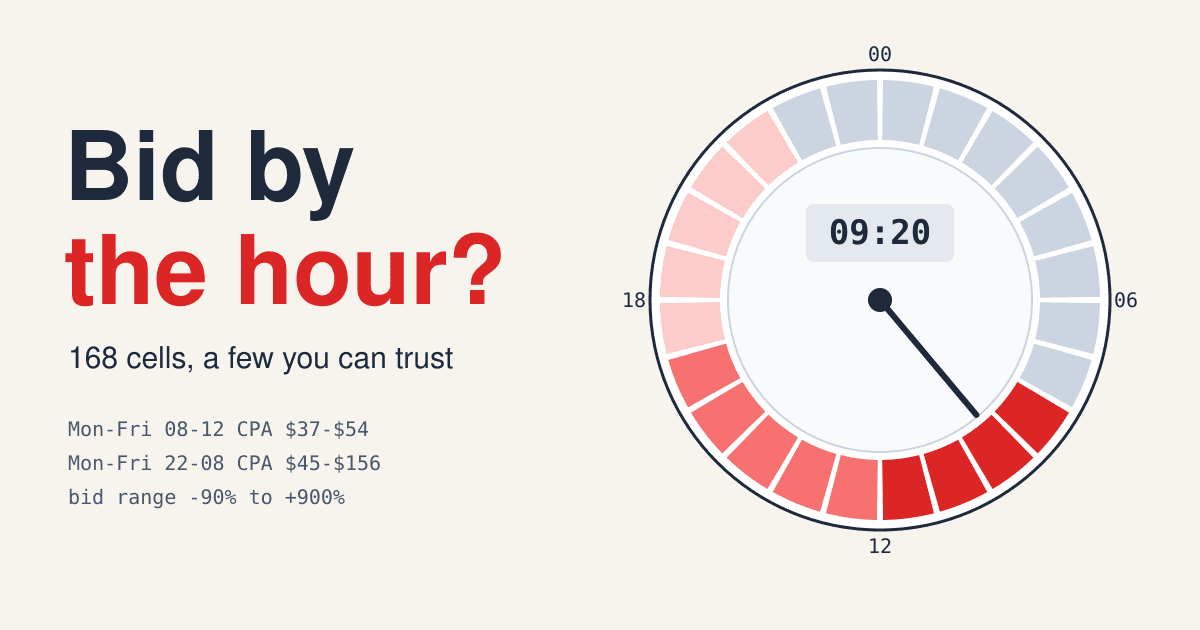
An hour-of-day report splits one campaign into 168 small samples, seven days by 24 hours, and most of those cells hold too few clicks to bid on. Dayparting, also called ad scheduling, is the practice of switching ads on and off or raising and lowering bids by time slot. It pays when a slot is truly different and you can prove it. It costs you reach when the difference is noise.
Short answer
- Group hours into four to six blocks before you judge them, and look at the range around each block's cost per conversion, not the single figure.
- On Google Ads, Smart Bidding already bids by the searcher's local hour and weekday and does not use manual time-of-day bid adjustments; it does obey the on and off times you set.
- Since June 1, 2026, switching whole days off no longer lowers a Google Ads campaign's monthly spend by itself: lower the daily budget too.
The grid you already have
Every major search platform keeps this data. In Google Ads the Ad schedule page has three subtabs, "Day and Hour", "Day" and "Hour", and shows clicks by default; switch the metric to cost, then add conversions. Export the Day and Hour view and you have the grid below, one cell per hour of the week.
Three things decide what that grid means before you read a single cell:
- Whose clock. Google Ads sets schedules in your account's time zone, so an account set to London that sells in New York sees its 14:00 row fill with 09:00 searchers. Smart Bidding, by contrast, reads the searcher's local time of day and day of week. Pick one clock and stick to it in your notes.
- Which moment the conversion belongs to. The primary conversion columns are counted at the time of the click, not the time of the conversion. A Monday evening click that turns into a Thursday morning lead sits in the Monday evening cell. That is what you want for cost per conversion, because spend is counted at the click too. Use the "by conv. time" columns only when you compare against analytics or a shop back end.
- How fresh it is. Google says reporting lags can take up to 24-48 hours, and a long sales cycle adds more. Leave the last few days out of any read, or the latest hours look worse than they are.
Read blocks, not cells
A single cell, say Tuesday 03:00, might hold nine clicks and no conversion. That is not a finding: at a 4% conversion rate, nine clicks would produce no conversion most of the time anyway. So merge hours that behave alike into blocks, then put a range around each block. The ledger below is the same illustrative account, grouped into six blocks over 90 days.
| Block | Clicks | Conv. | Conv. rate | Rough 95% range | Cost / conv. | Cost / conv. range |
|---|---|---|---|---|---|---|
| Mon-Fri 08-12 | 2,400 | 120 | 5.0% | 4.1-5.9% | $44 | $37-$54 |
| Mon-Fri 12-17 | 3,000 | 126 | 4.2% | 3.5-4.9% | $48 | $41-$57 |
| Mon-Fri 17-22 | 1,800 | 63 | 3.5% | 2.7-4.3% | $51 | $42-$67 |
| Mon-Fri 22-08 | 600 | 12 | 2.0% | 0.9-3.1% | $70 | $45-$156 |
| Sat-Sun 08-20 | 1,000 | 30 | 3.0% | 1.9-4.1% | $53 | $39-$84 |
| Sat-Sun 20-08 | 200 | 3 | 1.5% | 0-3.2% | $80 | $38 to no limit |
| All hours | 9,000 | 354 | 3.9% | $49 |
Illustrative numbers. Cost per click falls from $2.20 in the morning block to $1.20 on weekend nights, so cost per conversion is cost per click divided by conversion rate. The range is the usual normal approximation, 1.96 times the square root of p(1-p)/n; with only a few conversions it is rougher still.
Read the ledger the way a buyer should. The weekday morning block is the cheapest per lead, and its conversion rate range, 4.1% to 5.9%, sits entirely above the 3.9% account average: that difference is real. The weekday night block looks expensive at $70, but its range runs from $45 to $156, so the data cannot tell a good night from a bad one. The weekend night block has three conversions; it says nothing at all.
Now price the cut everyone is tempted to make. Switching off weekday nights saves $840 and loses 12 conversions. The account's cost per conversion moves from $48.6 to $47.8. The schedule looks tidier and the result barely changes, because cheap, thin hours are thin in both cost and leads. That is what "dayparting shrinks reach" means in practice.
When a schedule earns its place
Run each campaign through these four questions in order. The first "yes" decides.
-
Does a person have to pick up the lead live: a phone call, a chat, a same-day booking?
Yes Schedule the ads to the hours someone is there. This is the use Google itself gives for the feature: showing ads during business hours when you are available to handle customer inquiries.
No Go to the next question.
-
Does the campaign use Smart Bidding (Target CPA, Target ROAS, Maximize conversions or conversion value)?
Yes Leave the bids alone. Google states that Smart Bidding strategies do not use your manual bid adjustments, but do respect your Ad Schedule settings. Only switch hours off where nobody can be served.
No Go to the next question.
-
Does a block's whole cost-per-conversion range sit above or below your target?
Yes Adjust its bid. On Google Ads an ad schedule bid adjustment runs from -90% to +900%. Move in small steps, sized by how far the range sits from target.
No Go to the next question.
-
Is the offer tied to a time: a sale that ends at midnight, a live event, a TV spot that sends searchers?
Yes Schedule around that window and remove the schedule when it is over.
No Leave every hour on and collect another month of data. An open schedule is the cheapest way to keep reach.
What a day switched off does to the budget
Google changed how daily budgets meet ad schedules on June 1, 2026. Campaigns now pace toward 30.4 times the average daily budget in a month, whatever the schedule. The limits stay: never more than twice the daily budget on one day, never more than 30.4 times it in a month, and no ads on a day the schedule turns off. The change covers schedules that turn off whole days; schedules that only turn off hours within a day are not affected.
Before June 2026
$100 x 20 days$2,000
A $100 daily budget scheduled on 20 days of the month paced toward $2,000.
From June 2026
$100 x 30.4$3,040
The same campaign paces toward $3,040, spread over the 20 days it runs.
The fix in Google's example
$66 x 30.4about $2,000
To keep spending $2,000, set the daily budget near $66.
For a campaign that runs only 10 days, the twice-daily cap binds first: Google's own example sets a $50 daily budget to spend $1,000 (50 x 2 x 10). The lesson for dayparting: on Google Ads, turning weekends off now moves the money into weekdays rather than saving it. If saving it was the goal, cut the budget in the same edit.
Seven rules for setting the schedule
-
Set the clock first
Schedules run in the account's time zone. If your buyers live elsewhere, shift every block by the offset before you save.
-
Mind the limit of six
Google allows at most 6 ad schedules per day for each campaign, and a block that runs past midnight has to be split in two: Monday 23:00 to 0:00, then Tuesday 0:00 to 7:00.
-
Remember adjustments multiply
A $1.00 bid with +10% for Tuesday morning and +20% for a city becomes $1.32, not $1.30. Check the combined bid on your busiest hour before you raise anything.
-
Use bid adjustments only where they apply
Time-of-day bid adjustments work with manual bidding and Maximize clicks. Under Smart Bidding they are ignored, so they only make the settings page harder to read.
-
Judge the whole block against a floor
There is no official minimum per block, but Google itself asks for at least 15 conversions in the past 30 days before a Search campaign can use Target ROAS. A block with fewer conversions than that is thinner than what Google's own bidder starts from.
-
Check ad group schedules on Microsoft Advertising
There, if an ad group has its own day and time criteria, the campaign's are ignored for that ad group: the two are not combined. One forgotten ad group schedule silently overrides the campaign plan.
-
Change once, then wait
Google warns that frequent changes to campaign settings can hurt performance while the system relearns, and offers "Save as experiment" to test a change against the original. Use it for a new schedule, and read the result only after the conversion lag has passed.
A schedule decides when you buy; it does not prove the hours you buy add sales you would not have had. For that, see holdout and geo-lift tests. To see how one order gets claimed by several ad platforms at once, read the attribution window defaults.
Questions buyers ask
Should I add time-of-day bid adjustments to a Target CPA campaign?
No. Google's help page says Smart Bidding does not use manual bid adjustments and already optimizes by time of day. Use the ad schedule only to switch off hours you cannot serve.
Does dayparting save money?
Switching off hours within a day can, because the budget is not moved. Switching off whole days on Google Ads no longer does on its own since June 1, 2026: the campaign paces toward 30.4 times its daily budget per month across the days it runs, so lower the daily budget as well.
How many conversions does a time block need before I act on it?
Enough that its range of cost per conversion sits clearly on one side of your target. In practice, a block with a handful of conversions almost never gets there; merge it with a neighbouring block or wait.
Why does my hour-of-day report disagree with my analytics tool?
Google Ads files conversions under the click time, while most analytics tools file them under the conversion time. Google suggests the "by conv. time" columns for that comparison and says gaps of up to 20% are expected.
Sources
- Google Ads Help: About ad scheduling
- Google Ads Help: Set up an ad schedule (time zone, 6 schedules per day, overnight blocks)
- Google Ads Help: Set up an ad schedule bid adjustment (multiplied adjustments, Maximize clicks)
- Google Ads Help: About bid adjustments (-90% to +900%, Smart Bidding and ad schedules)
- Google Ads Help: About Smart Bidding (weekday and time of day signal)
- Google Ads Help: Changes to Google Ads budget pacing for Ad Scheduling (June 1, 2026)
- Google Ads Help: Understand your conversion tracking data (click time, by conv. time, 24-48 hour lag)
- Google Ads Help: About Target ROAS bidding (15 conversions in 30 days)
- Google Ads Help: Edit your campaign settings (frequent changes, Save as experiment)
- Microsoft Advertising API: DayTimeCriterion (ad group criteria override the campaign's)
Selling ad space by daypart yourself? List your placements on MediaProNet so buyers can find them: submit your website.