
SnapPChart is a finance tool listed on MEDIAPRONET, available at snappchart.app. Added in 2026. AI that grades your trading chart before you enter.
SnapPChart turns a chart screenshot into a structured, repeatable trade review. Instead of a vague description, you get the same fields on every upload: a letter grade from A+ to F, the pattern, key levels, an entry zone, a stop with rationale, two profit targets with risk/reward, and an explicit bear case. It reads stocks, forex, crypto, futures, and ETFs from any platform because it works off...
- Category
- Finance
- Domain
- snappchart.app
- Added
- Domain Rating
- DR 39
SnapPChart Preview
Open in new tab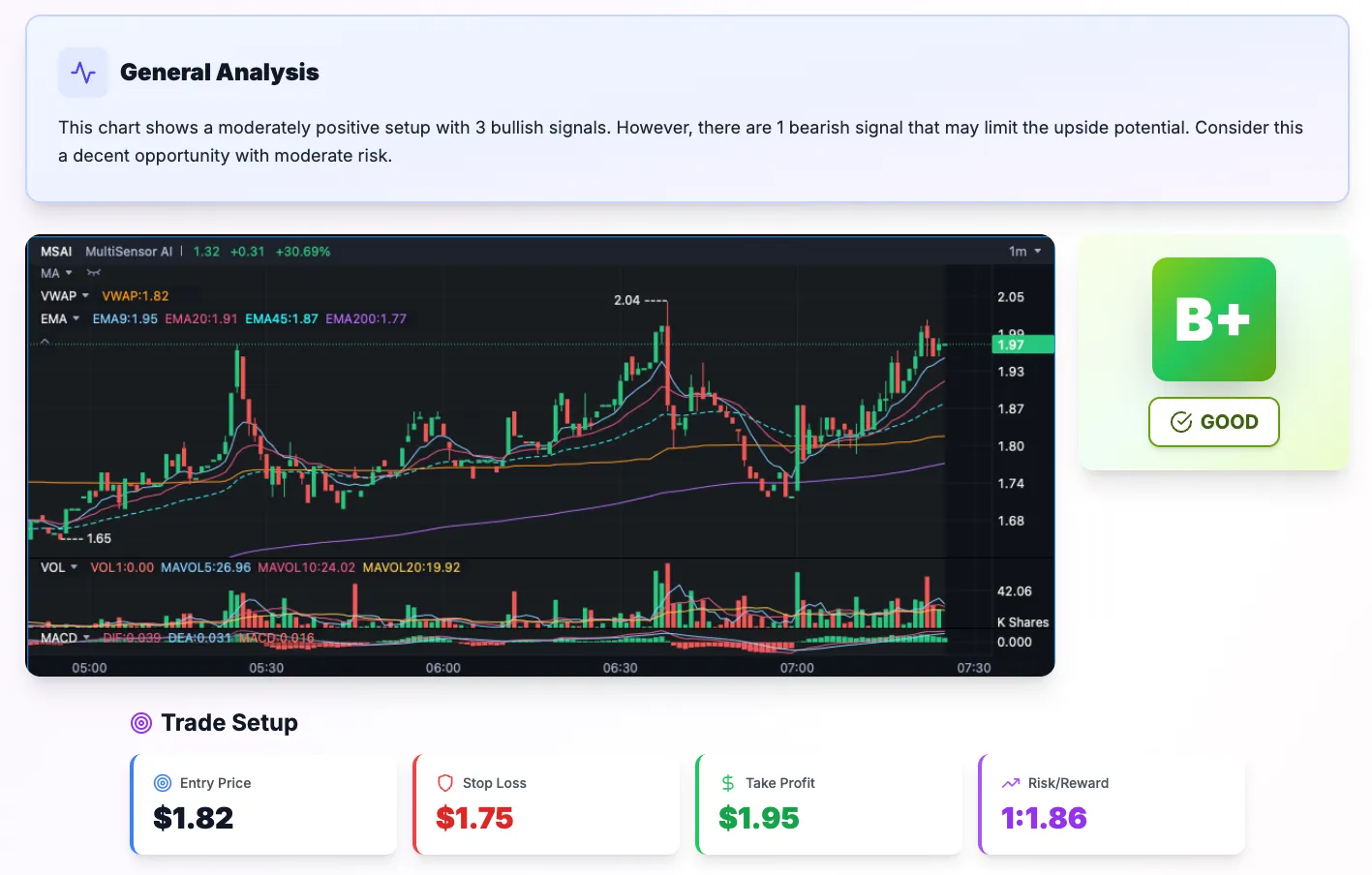
About SnapPChart
SnapPChart turns a chart screenshot into a structured, repeatable trade review. Instead of a vague description, you get the same fields on every upload: a letter grade from A+ to F, the pattern, key levels, an entry zone, a stop with rationale, two profit targets with risk/reward, and an explicit bear case. It reads stocks, forex, crypto, futures, and ETFs from any platform because it works off the image, not a data feed. New users get two free grades, no card required.
Reviews
Reviews
Hannah Brooks
4d ago
Fast, but pricey annual
I tested it with a few forex and crypto screenshots from my own charts and the turnaround really is seconds, with a readable grade, entry, stop and target on each one, so the core promise holds. The free tier is enough to figure out whether the analysis style suits you, but the paid plan showing as $142.30 is a weird number with no clear monthly option on the pricing page, so budget for it as an annual commitment before you get attached. What impressed me most was the custom trading profile, since setting my risk tolerance once actually changed the stop placement on later uploads instead of being a cosmetic setting. What I'd want fixed is integrations: there's no broker or TradingView-style connection, no export of the trade plan to a sheet or webhook, and no history dashboard, so tracking how its calls actually performed is a manual job. The docs are thin on things like upload limits per day and image size, which I had to find out by trial and error. Solid for quick second opinions on